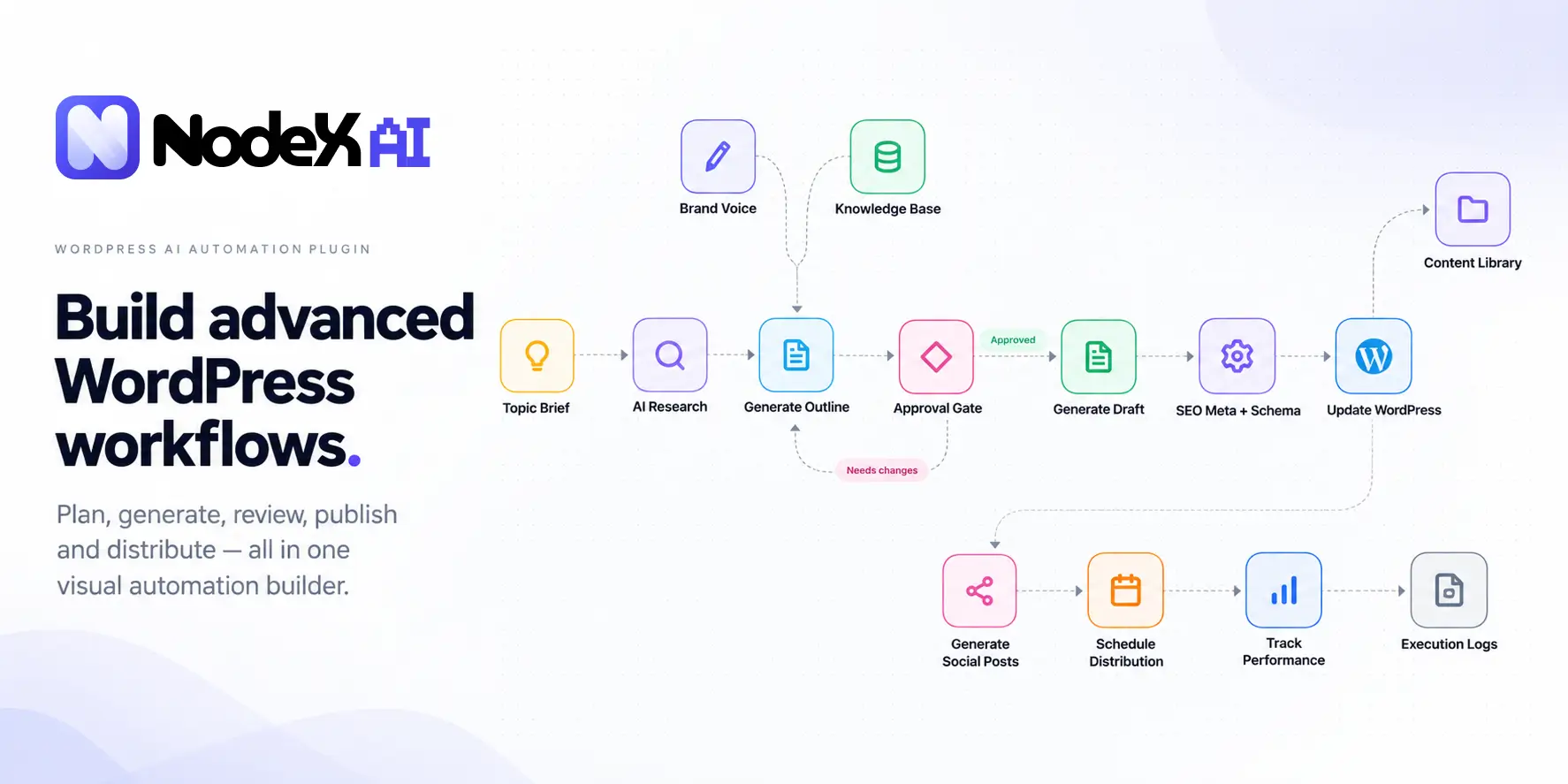
WordPress AI automation, without the busywork
NodeX AI is a WordPress AI automation plugin that brings your triggers, AI-powered steps, conditions, and actions together in a visual workflow builder. Instead of moving between disconnected tools, you can design a process, test its steps, and review its execution from your WordPress dashboard.
Start with a WordPress event, a WooCommerce trigger, a scheduled task, or an incoming webhook. Then connect the steps your workflow needs—from generating content to processing data or sending information to another service. NodeX AI helps make repeatable work easier to understand, manage, and improve.
One builder. Connected workflows.
Design workflows visually
Use a drag-and-drop canvas to arrange nodes and connect the flow of information. Begin with a trigger, add actions, and branch the workflow with conditions or switches. The visual structure helps you understand what happens at each step without reading through custom code.
Put AI into the process
Add AI steps for tasks such as analyzing text, preparing drafts, or transforming information before another action runs. The plugin includes integrations for supported providers including OpenAI, Gemini, Anthropic, and OpenRouter. Provider availability and usage costs depend on your setup and accounts.
Keep visibility and control
Set conditions, route outcomes, and include approval steps when your process requires a decision. Use execution logs to review completed runs, understand results, and investigate errors. Automation should save time without leaving you guessing about what happened.
What can you automate with NodeX AI?
- WooCommerce workflows: React to supported store events and connect them to follow-up tasks, rules, or notifications.
- AI-assisted content: Generate or process text, prepare drafts, and pass results into a publishing or review step.
- Webhook and API flows: Receive information from external services, send requests, and map data between connected steps.
- Scheduled operations: Run recurring tasks through cron-based triggers instead of starting every process manually.
- Conditional actions: Check data, create different paths, and use the appropriate action for each result.
How the visual workflow builder works
- Choose a starting point. Select a supported WordPress or WooCommerce event, webhook, or scheduled trigger.
- Connect the steps. Add AI nodes, conditions, and actions on the canvas, then configure each node.
- Test your workflow. Check the output of individual nodes and review how data passes between them.
- Run and review. Execute the workflow and inspect its logs to confirm results or troubleshoot issues.
Built for real WordPress work
NodeX AI is useful for site owners who want to reduce repetitive admin work, WooCommerce teams coordinating store processes, agencies managing client workflows, and developers who need a flexible automation layer. You decide which tasks to connect and where a person should remain in control.
Unlike a single-purpose automation, a visual WordPress AI automation plugin lets you combine several small actions into one reusable process. Begin with a simple workflow, check the output, and expand it as your needs become clearer.
Frequently asked questions
Is NodeX AI a WordPress plugin?
Yes. NodeX AI runs inside WordPress and provides a visual canvas for building and managing workflows from the dashboard.
Does NodeX AI work with WooCommerce?
The plugin includes WooCommerce integration components. The events and actions available to you depend on the installed release and how your store is configured.
Do I need coding skills?
The drag-and-drop editor is designed to make common workflow steps visual. More advanced API connections, data mapping, or custom integrations may still require technical configuration.
Do AI integrations require separate API keys?
External AI services may require their own account, API key, and usage charges. Check the provider and model settings before running a workflow.
Can I see what happened during a workflow run?
Yes. NodeX AI includes execution logging and tools for inspecting workflow runs, results, and errors.
Explore NodeX AI
Discover how NodeX AI connects the everyday work behind your website. Explore the NodeX AI website, or browse more TopHive products built for WordPress and modern teams.