The developer execution bridge for your Mac.
Your AI chat. Your real development environment.
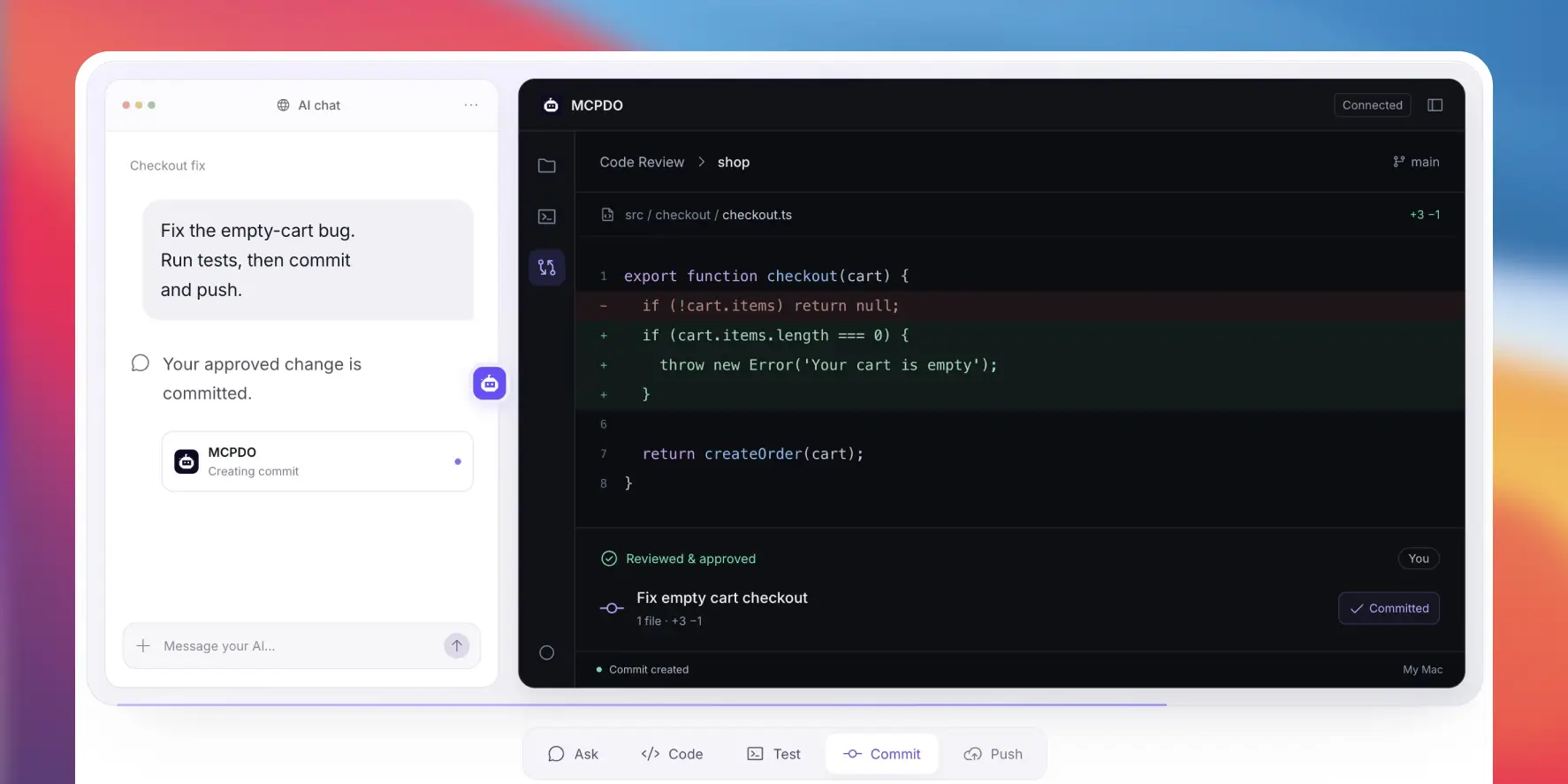
Connect a supported web AI chat to the projects and developer tools already on your Mac. With MCPDO, a conversation can become real file changes, terminal commands, test results and Git diffs you can inspect.
- Keep your existing projects
- Use your installed tools
- Review what changed
From a request to a working change.
Instead of copying code from chat into an editor, let your AI work with the files and commands in your real project.
You ask in your AI chat
“Fix the login form bug, run the tests, and show me what changed.”
The conversation stays in your AI client. MCPDO connects it to your Mac.
- Inspect the project Find and read the relevant files, with the access you allow.
- Update the code Make changes inside your existing local workspace.
- Run your checks Use your Mac’s terminal, dependencies and test commands.
- Review the result See outputs and Git differences before deciding what to keep.
The tools you already use. Now connected to your chat.
MCPDO works with your local development setup—not a separate copy of your project in another IDE.
Read and edit real files
Search your codebase, inspect context and update source files in the project you choose. 02
Use your Mac’s terminal
Run scripts, package commands and long-running processes with your installed toolchain. 03
Build, test and check pages
Run the project’s own checks and use browser verification for local web development. 04
Follow changes as they happen
View tool activity in Live Sessions, inspect Git diffs in Code Review and revisit History.
No migration. No new way to code.
Keep your editor, repository and local development environment. MCPDO can work with WordPress plugins and themes, JavaScript apps and other projects using the tools already available on your Mac.
You choose the access scope
Projects OnlyDefault. Limit MCPDO to the project folders you add.
Full Mac AccessOptional. Use other paths your macOS user account can already access.
MCPDO follows macOS permissions. Your workspace remains on your Mac, but file content and command results shared with an online AI client may be sent to that AI provider.
Start with the project you already have.
Install MCPDO on Mac
Open the desktop app on the Mac where your projects and development tools live.
Connect your AI chat
Follow the connection guide for a supported web AI client. Account requirements vary by provider.
Choose a project
Add a workspace, start with a simple task and inspect the results as you go.
One-time purchase
Buy the app. Not more tool credits.
MCPDO currently has no MCPDO-imposed tool-call quota for personal use. Purchase the Mac app and use it with a compatible AI account.
Your AI provider is separate. MCPDO does not include an AI subscription, model tokens or unlimited provider usage. Your provider’s plans, limits and supported connection features still apply.
Good to know before you buy.
Does MCPDO replace my editor or move my project?
No. Keep VS Code, your preferred editor and the repository where it is. MCPDO connects a supported AI chat to the local tools and files you already use. Can I use MCPDO with ChatGPT Web?
MCPDO is designed for supported web AI clients, including compatible ChatGPT Web connections. Available connection features and account requirements depend on the AI provider and your plan. Check the current setup guide before purchasing. Are MCPDO tool calls unlimited?
For personal use, MCPDO currently imposes no tool-call quota. Your AI provider can still enforce message, model, tool or token limits independently. Is my source code kept entirely offline?
Your project remains in its local folder. However, when MCPDO returns file contents or command results to an online AI client, that data may be sent to the client’s provider. MCPDO does not make online AI coding fully offline. Can I review changes before a Git commit?
Yes. Use Code Review to examine the working-tree diff. MCPDO’s dedicated Git commit action asks for approval before creating a commit. As with any real developer shell, commands you run directly may also modify files or Git state. Does MCPDO work on Windows or Linux?
The current MCPDO desktop application is for macOS. Windows and Linux are not supported at this time. Built for your everyday workflow
Keep the chat. Connect the work.
Write the request in your AI chat. Let MCPDO connect it to the real projects and tools on your Mac—then review the outcome in the workflow you already know.