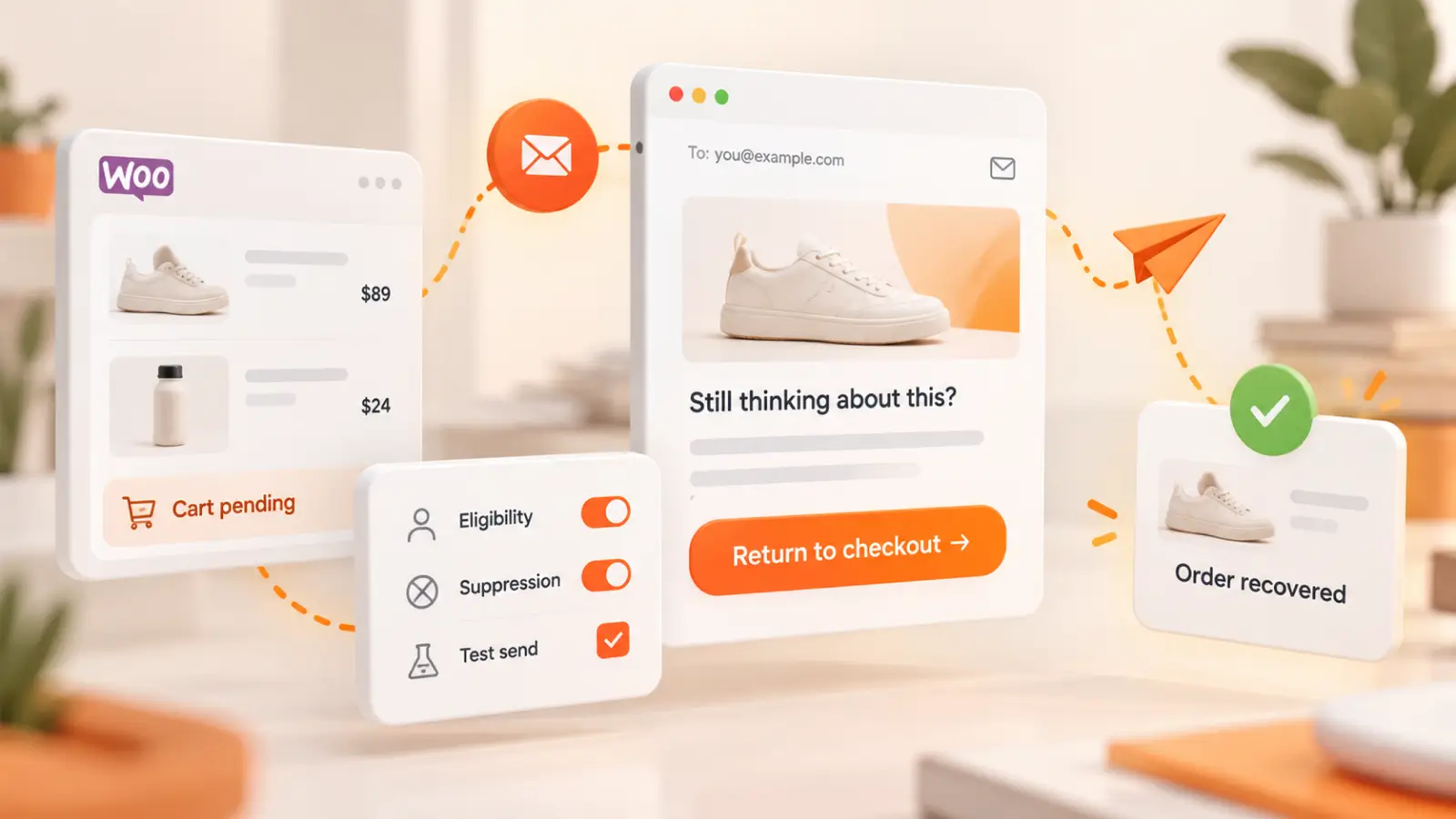
WooCommerce abandoned cart recovery means helping a shopper return to a checkout that was not completed. It sounds simple, but the implementation depends on what the store records, whether an email address is available, whether the order is still eligible, and which system is responsible for the reminder. A reliable setup prevents unexpected sends as carefully as it recovers missed orders.
This guide separates the experimental reminder described in current WooCommerce documentation from broader recovery campaigns offered by dedicated extensions. It also gives you a staging checklist, permission questions and a measurement approach that does not mistake email clicks for completed revenue.
First, check whether WooCommerce already includes a recovery reminder
WooCommerce documentation for version 11.0 describes an experimental abandoned cart recovery email. The feature is disabled by default and can be enabled in WooCommerce → Settings → Advanced → Features. Its automatic email option is separately disabled by default, so enabling the feature does not necessarily mean emails will start sending immediately. Confirm your installed WooCommerce version before following these controls. Sources: WooCommerce official: Abandoned cart recovery emails.
Under the documented core flow, an eligible order with a valid billing email may receive one reminder. A manual reminder can be available after at least one hour for supported Pending payment or Checkout draft states. An automatic reminder is scheduled after an eligible checkout remains Pending payment for two hours. These are documented conditions for that experimental feature—not universal timing rules for every recovery plugin. Sources: WooCommerce official: Abandoned cart recovery emails.
The core reminder links back to the order payment step, includes an unsubscribe link, and avoids resending after an email was already sent or a shopper opted out. Test these safeguards rather than assuming that every cart session is recoverable. Sources: WooCommerce official: Abandoned cart recovery emails.
Decide what type of recovery you actually need
- One basic reminder: consider the built-in experimental email when available and appropriate, after staging tests.
- Multi-step follow-up: compare dedicated tools only if you need distinct delays, templates, segmentation or other supported workflows.
- Guest checkout: check when the email becomes available, how it is captured and what privacy notice applies.
- Coupon strategy: evaluate margin impact and avoid training shoppers to abandon checkout just to receive discounts.
- Reporting: separate eligible checkouts, messages sent, recipients returning and successfully paid orders.
The official documentation distinguishes the single core notification from tools such as AutomateWoo, MailPoet or other recovery extensions. Individual extensions can offer configurable templates, guest email capture or additional campaigns, but those features should never be attributed to WooCommerce core without checking its current documentation. Sources: WooCommerce official: Abandoned cart recovery emails; WooCommerce official: Abandoned Cart Recovery extension.
Map the recovery journey before activating anything
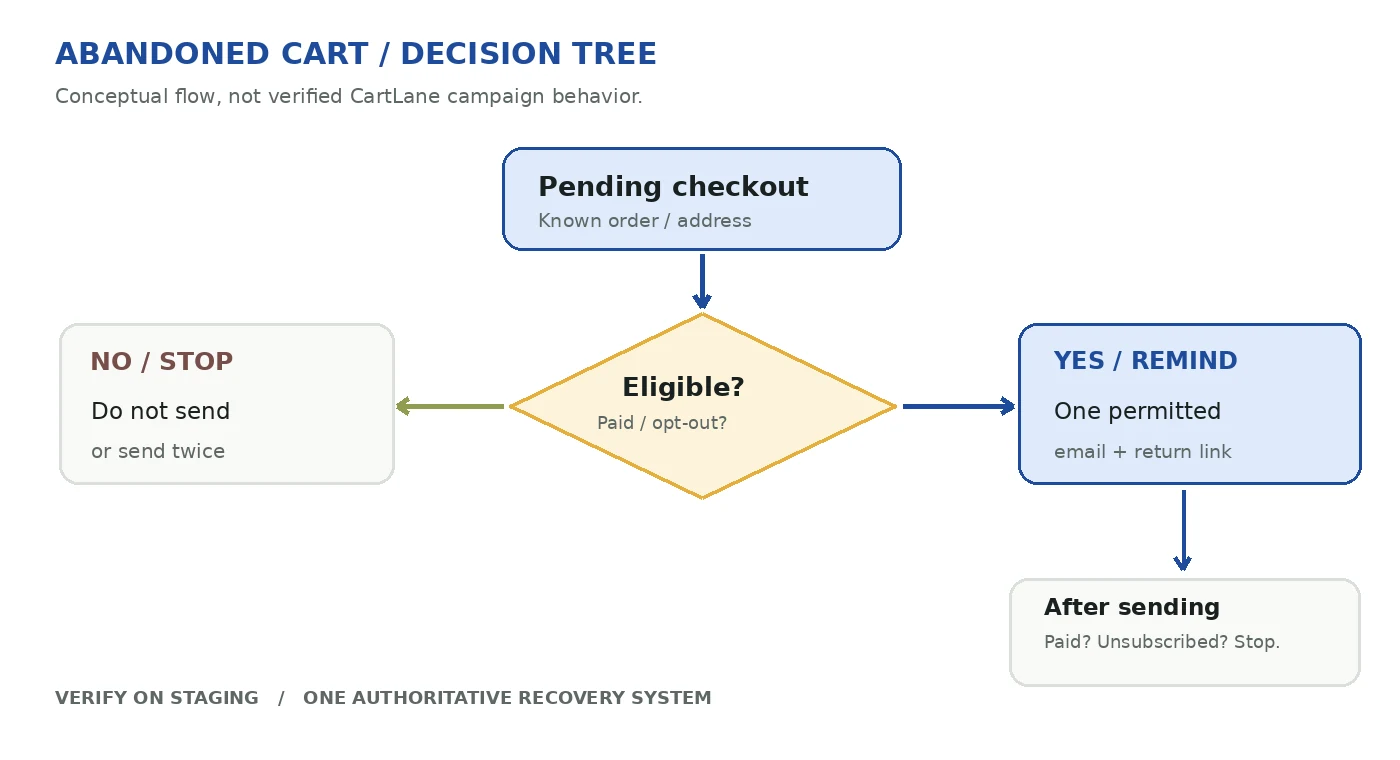
Draw the lifecycle on paper before configuring a plugin. Start at a real checkout attempt, record the email and privacy context, wait for the defined eligibility condition, send only the allowed reminder, and check whether the shopper pays, opts out or leaves the checkout unfinished. A message sent after payment is not a recovery success; it is a quality failure.
- Entry: a visitor reaches checkout and, where lawful and supported, provides an email address.
- Eligibility: the store records an eligible state with a clear time threshold, rather than treating every browsing session as abandonment.
- Suppression: paid, cancelled, unsubscribed and already-reminded orders are excluded according to the selected system.
- Delivery: the email has a recognizable sender, useful subject, relevant context and safe return link.
- Outcome: count a recovered order only when payment status confirms completion and attribution rules are documented.
Configure the WooCommerce reminder in staging
On a staging site using a supported WooCommerce version, review WooCommerce → Settings → Advanced → Features and the Abandoned cart recovery option. After enabling it, look under WooCommerce → Settings → Emails → Abandoned cart recovery for notification settings, email preview, test sending and the separate Send automatically control. If the option is missing, do not assume a broken installation; confirm the version and compatibility first. Sources: WooCommerce official: Abandoned cart recovery emails.
Leave automatic sending off during initial verification. Create a test checkout with a controlled email address and keep it Pending payment. Examine the resulting order notes, the email content, the return-to-payment link and the effect of a successful payment before the scheduled send. Only use a real customer address when collection, consent and messaging obligations have been checked. Sources: WooCommerce official: Abandoned cart recovery emails.
Avoid duplicate emails when using another recovery system
Two systems following the same order can produce conflicting messages, even if each is configured correctly on its own. The WooCommerce documentation says the experimental core notification starts disabled when a supported external recovery tool is detected. Treat that as a helpful guard, not a substitute for checking the exact installed versions and triggers. Sources: WooCommerce official: Abandoned cart recovery emails.
- Choose which system owns the first recovery message and whether the other system should be completely disabled.
- Check message delays, eligible statuses, exclusions and unsubscribe lists across both systems.
- Test a checkout that becomes paid before the scheduled send and another that remains pending.
- Repeat with an unsubscribed test address and an order that already received a manual reminder.
- Record how duplicate suppression and cancellation were actually verified in the staging environment.
Write helpful recovery emails, not pressure campaigns
A clear subject and an accurate return link are more important than a long promotional paragraph. Refer to the pending order only where that information is appropriate; do not suggest the payment succeeded or invent an expiring offer. A short reminder can explain what remains to complete, provide the secure payment link and make opting out straightforward.
Keep the distinction between service reminders and marketing messages clear. Rules on consent, retention and email communications depend on customer location, data processing and the message purpose. Ask whoever owns privacy compliance for the store to approve the capture and sending policy before automatic campaigns are activated.
Test with a full checkout and messaging matrix
- Registered customer and guest customer, if each is supported by your chosen implementation.
- Payment completed before the trigger, order still pending after the trigger and payment failed.
- Email address missing, invalid, unsubscribed and previously reminded.
- Core-only mode, third-party recovery enabled and the deliberate suppression setting between them.
- Email rendering on phone and desktop, safe payment URL, coupon terms if used, and accessibility.
- Email delivery, spam folder placement, bounce handling and relevant order/email logs.
A passing setup test means an eligible message arrives at the intended time, an ineligible one does not, and the shopper can safely return and pay. It does not by itself prove incremental revenue or compatibility with every checkout configuration.
Measure paid recoveries rather than email activity
Track the number of eligible checkouts, the number of reminders sent, unique recipients who return, and completed paid orders following an attributed reminder. Review refunds and failed payments separately. Open and click rates can help diagnose the message, but they are not the same as recovered revenue. Be explicit about your attribution window and how you handle purchases that would have happened without an email.
If an email experiment is possible, compare the recovery process against a suitable baseline rather than claiming a guaranteed uplift. A new campaign might increase reported attributed revenue without increasing overall paid orders, depending on the attribution model.
What CartLane Free handles—and when Pro helps
CartLane Pro is one product to evaluate when a store needs WooCommerce recovery and checkout-related tools. The vendor listing describes a product family that includes cart recovery, but you should verify the installed version, actual trigger behavior and compatibility with the store before selecting it over the core reminder. This article is published by TOPHIVE, the CartLane vendor; it is not an independent comparative benchmark. Explore CartLane Pro. Sources: CartLane CodeCanyon listing.
Frequently asked questions
Does WooCommerce automatically email every abandoned cart?
No. The current documentation describes an experimental feature that is disabled by default, includes specific eligibility conditions and sends one notification for an eligible order. Other plugins use their own triggers, so check the exact system you enabled. Sources: WooCommerce official: Abandoned cart recovery emails.
Can I send both WooCommerce and plugin recovery emails?
You should deliberately coordinate or disable overlap. Verify suppression rules and test the exact combination on staging, especially when an external tool can also target Pending payment orders. Sources: WooCommerce official: Abandoned cart recovery emails.
Is an abandoned cart email a recovered sale?
No. A sent message or clicked link is a step in the journey. Mark recovery only after a completed, paid order under a documented attribution rule.
What should I do next?
Audit your installed WooCommerce version, make one staging checkout with a controlled email address, identify which recovery system owns the follow-up and confirm the paid-order result. Once the experiment is safe and measurable, refine the message—not the other way around.