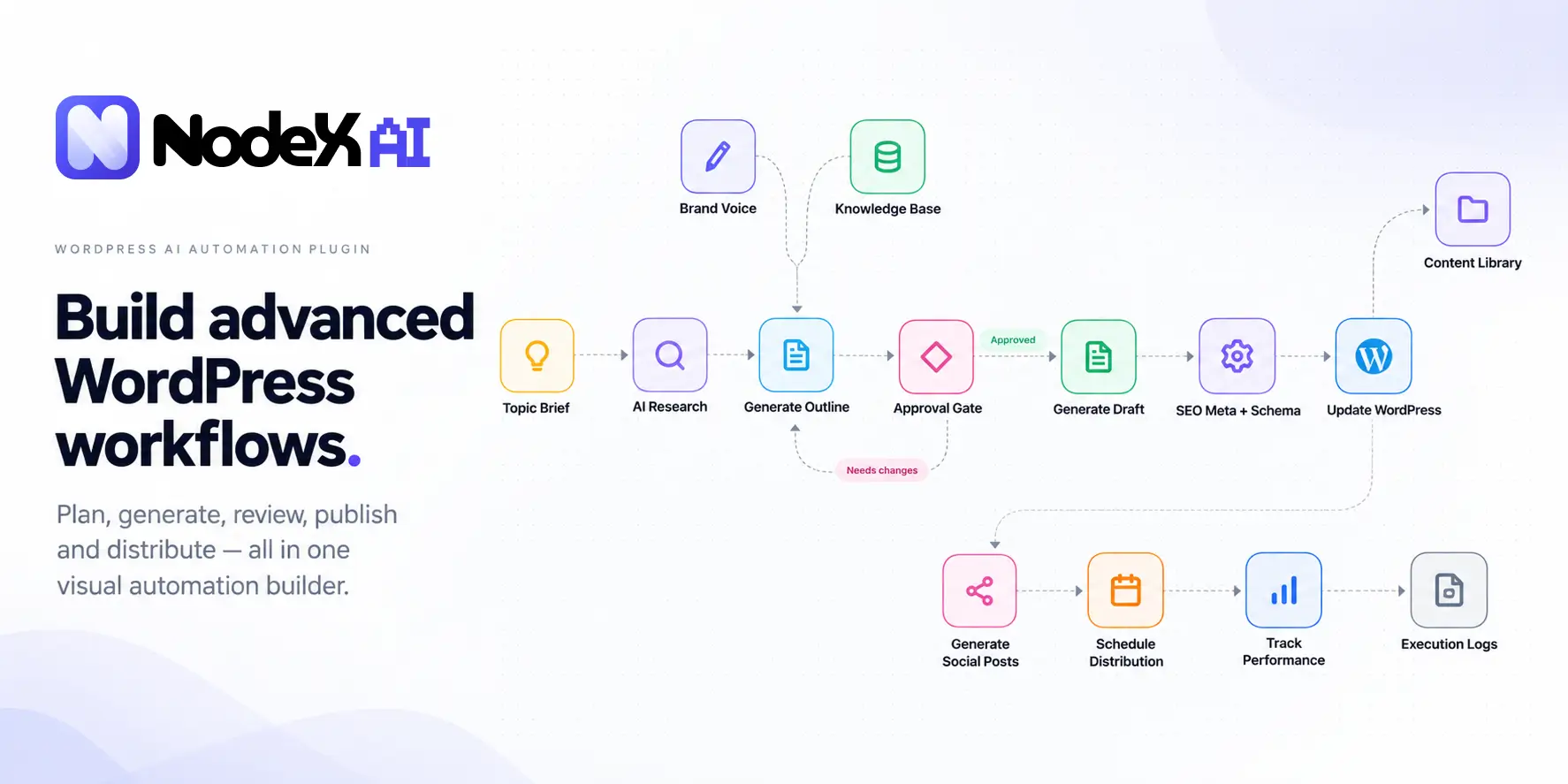
A WordPress website rarely runs on one isolated action. A form submission may need to notify a team, update a record and prepare a follow-up. A WooCommerce event may lead to several checks before another step can run. When each task lives in a different plugin or dashboard, understanding the complete process becomes harder than setting up any single action.
That problem shaped NodeX AI, our visual WordPress automation builder. We wanted to give people a clear place to connect events, decisions, AI-assisted work and actions—and, just as importantly, to see where a workflow starts, what happens next and what needs attention.
This is the story of the product we set out to build, the engineering decisions behind it and the trade-offs we think WordPress teams should consider. It is not a claim that every integration works out of the box or that automation always improves performance.
The problem: WordPress work is connected, but the tools are often fragmented
WordPress is good at doing many jobs through plugins. A site can manage forms, orders, members, content and customer communication. The difficult part begins when one event needs to coordinate work across more than one of those systems.
Consider a team that wants to review incoming leads before routing them to the right person. The first step could be a form submission; later steps might inspect the answers, apply rules, prepare a response and notify someone. Without a shared view of the process, it is easy to lose track of which step owns the data, what happens after a failure and who is responsible for the final decision.
Adding more integrations does not automatically solve that coordination problem. A usable automation system needs clear triggers, visible decision points, maintainable configuration and a way to investigate outcomes.
Why we built NodeX AI
Our starting idea was straightforward: make connected WordPress workflows easier to design, inspect and change. Instead of describing a process in disconnected settings pages, a store owner or developer should be able to see its structure on one canvas.
We also wanted AI to be a part of a workflow rather than the entire workflow. A language model might classify incoming text or help prepare a draft, but that result still needs a destination. Conditions, permissions, retries, logging and sometimes a human review remain essential.
That is why NodeX AI is designed around a visual workflow editor, not a promise that a single prompt can safely run a business without oversight.
Inside the visual WordPress automation builder
NodeX AI uses a node-based canvas for arranging workflow steps and connecting the direction of data. The interface is built to make the relationship between one event and the next understandable without reading PHP or JavaScript source code.
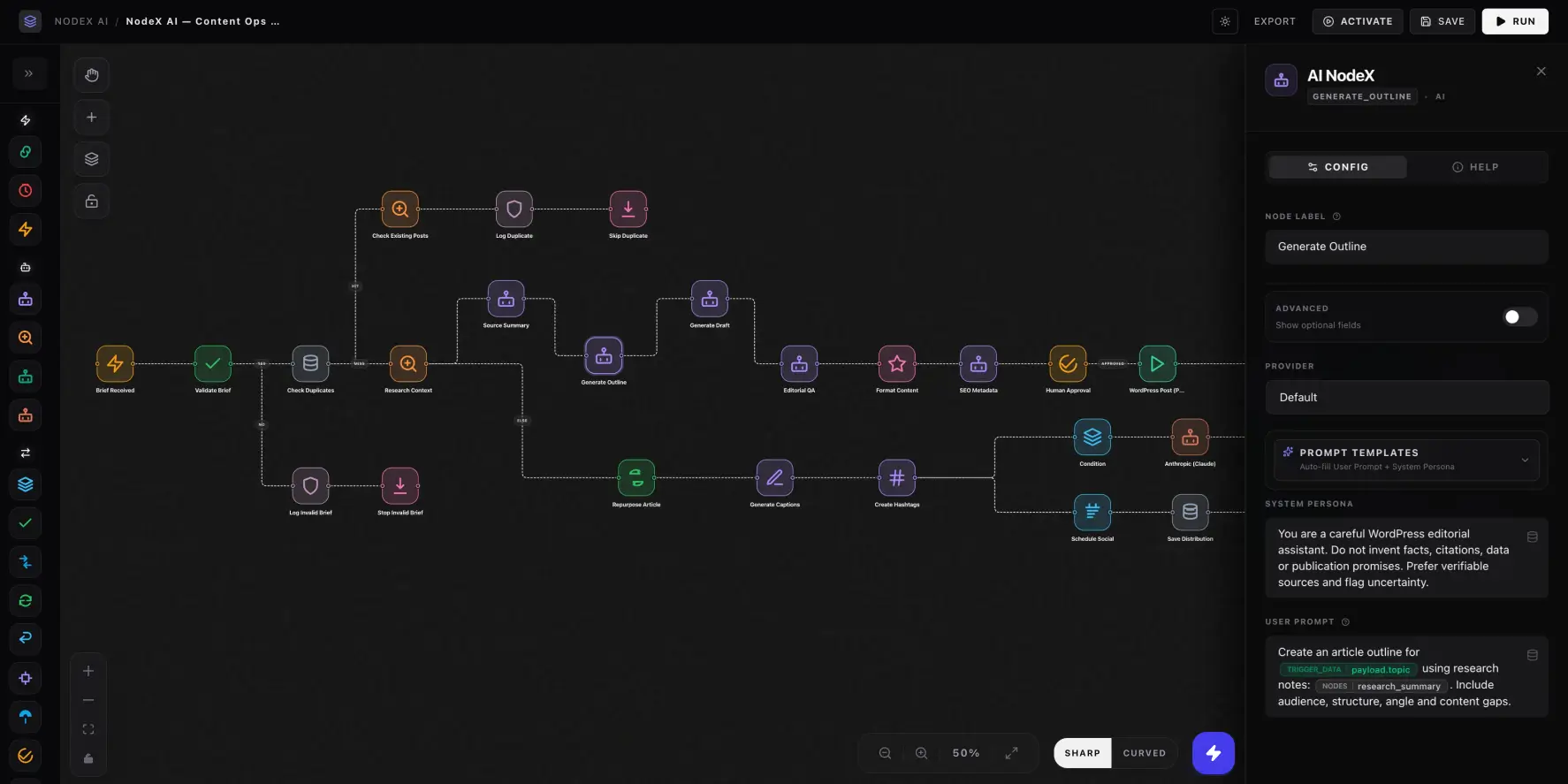
Triggers: where work begins
A workflow needs an entry point. Depending on the installed version and available integration, that might be a supported WordPress event, WooCommerce event, schedule or incoming webhook. The trigger defines when the workflow should begin and what information it receives.
Conditions: where the path changes
Not every event should produce the same action. Conditional steps can route different inputs through different branches—for example, directing requests that need review into one path and routine requests into another. The important design goal is to make that branching explicit, not bury it in a long chain of hidden settings.
Actions: where something useful happens
An action may prepare text, call an external API, send information to another service or perform a supported WordPress operation. Each action still depends on its own configuration and permissions. A visual card is not proof that a third-party service is connected or authorized.
Where AI helps—and where it still needs guardrails
NodeX AI includes AI-oriented workflow components and provider integration architecture. The project references providers such as OpenAI, Gemini and OpenRouter; the exact models, nodes and available actions depend on the installed build and configured accounts. External provider credentials, quotas and charges remain separate from the WordPress plugin.
In a practical workflow, an AI step might summarize a document, categorize a message or propose a response. It should not be treated as inherently accurate. Important downstream actions—such as publishing content, changing records or sending messages—should use validation, relevant permission checks and human approval where appropriate.
Our principle: make automation visible enough to understand, and controlled enough to review before it matters.
A sample workflow: from a form submission to a reviewed follow-up
To illustrate the kind of workflow the builder is intended to express, imagine a contact form that collects a project inquiry. This is a conceptual example, not a verified, ready-to-import NodeX template or an end-to-end integration test.
- Receive: a supported form event starts the workflow and provides the submitted fields.
- Validate: check for missing information before continuing.
- Classify: an optional AI step suggests a category or priority.
- Route: apply explicit conditions to choose a review path.
- Approve: a team member checks any sensitive or customer-facing response before it is sent.
- Record: log the outcome and investigate failures instead of assuming every attempt succeeded.
The value of a visual canvas is that these steps, decisions and dependencies can be inspected together. The reliability of the final process still depends on the configured integrations, hosting environment and the actual tests run against the workflow.
The architecture behind the interface
NodeX AI is a WordPress plugin, not a separate hosted automation service replacing WordPress itself. Its admin interface uses React and React Flow (xyflow) for interactive workflow editing. The WordPress side uses PHP, WordPress APIs, REST endpoints and custom database tables to coordinate plugin behavior and persistence.
We separated the visible canvas from the execution and data layers so the interface can focus on configuring workflows while WordPress handles the permissions, storage and server-side operations that belong to a plugin. That separation is also a maintenance responsibility: persisted node identifiers, workflow formats and API contracts must remain compatible as the product evolves.
Execution logging is part of the intended workflow experience because a successful-looking diagram is not enough. Site owners need to know whether a step ran, whether an external service returned an error and what should happen before a retry. The precise diagnostic detail available depends on the deployed release and the integrations in use.
WordPress-native automation has trade-offs
A WordPress-native builder can be a good fit when events originate on the site and the team wants to configure related processes close to its existing WordPress tools. But hosting automation inside WordPress also makes the site owner responsible for updates, scheduled execution, resource limits and compatibility testing.
Hosted platforms may be a better fit when a workflow spans many unrelated services, needs centralized management across several sites or benefits from operational infrastructure outside WordPress. Native automation is not automatically faster, cheaper or more private: each claim depends on how a workflow is built, hosted and measured.
We explore those differences in our guide to Zapier alternatives for WordPress. The right choice starts with the workflow and its requirements, not the name of the tool.
What we care about as NodeX AI develops
A polished canvas matters, but a trustworthy automation product is judged by what happens when something goes wrong. We prioritize three questions in our own design reviews: Can the user tell what the workflow will do? Can the user investigate a failure? Can they change the process without breaking a working setup?
Those questions influence the structure of node settings, execution history, permissions and the way we approach compatibility. They also set a boundary for how we describe the product publicly: a feature visible in an interface is not a substitute for documenting and testing its real behavior.
Explore NodeX AI
If you manage repeatable processes inside WordPress, NodeX AI is worth exploring as a visual way to connect triggers, decisions, AI-assisted steps and actions. Start with a small workflow, confirm each node is supported in your installed version and test the complete path before using it for customer-facing or revenue-critical work.
See the NodeX AI product page for the current product overview, available demo and purchase or documentation links. This article is published by TopHive, the company developing NodeX AI; it describes our own design intent, not an independent product benchmark.
Frequently asked questions
Is NodeX AI a WordPress plugin?
Yes. NodeX AI is designed as a WordPress plugin with a visual workflow editor in the WordPress admin. The available nodes and supported WordPress versions should be checked against the current product release.
Do I need to code to create a workflow?
The canvas is designed for visual configuration of supported steps. Advanced API integrations, custom data mapping and troubleshooting may still require technical knowledge.
Can a NodeX workflow use external AI providers?
The project includes AI-provider integration architecture. Provider access depends on which adapters are supported in your build and on separately configured accounts and credentials. Provider billing and usage limits are not included automatically.
Can it replace every external automation service?
No universal replacement claim is appropriate. Compare the exact triggers, actions, logging, execution requirements, data handling and operational costs of the workflows you actually need.